Open source · MIT license · For the Linux desktop

Markdown workspace
for humans and AI agents.

An AI agent that works in your folder of notes, plans, and task boards. It browses, plans, and proposes real changes, then waits for you to approve the diff before it writes anything.

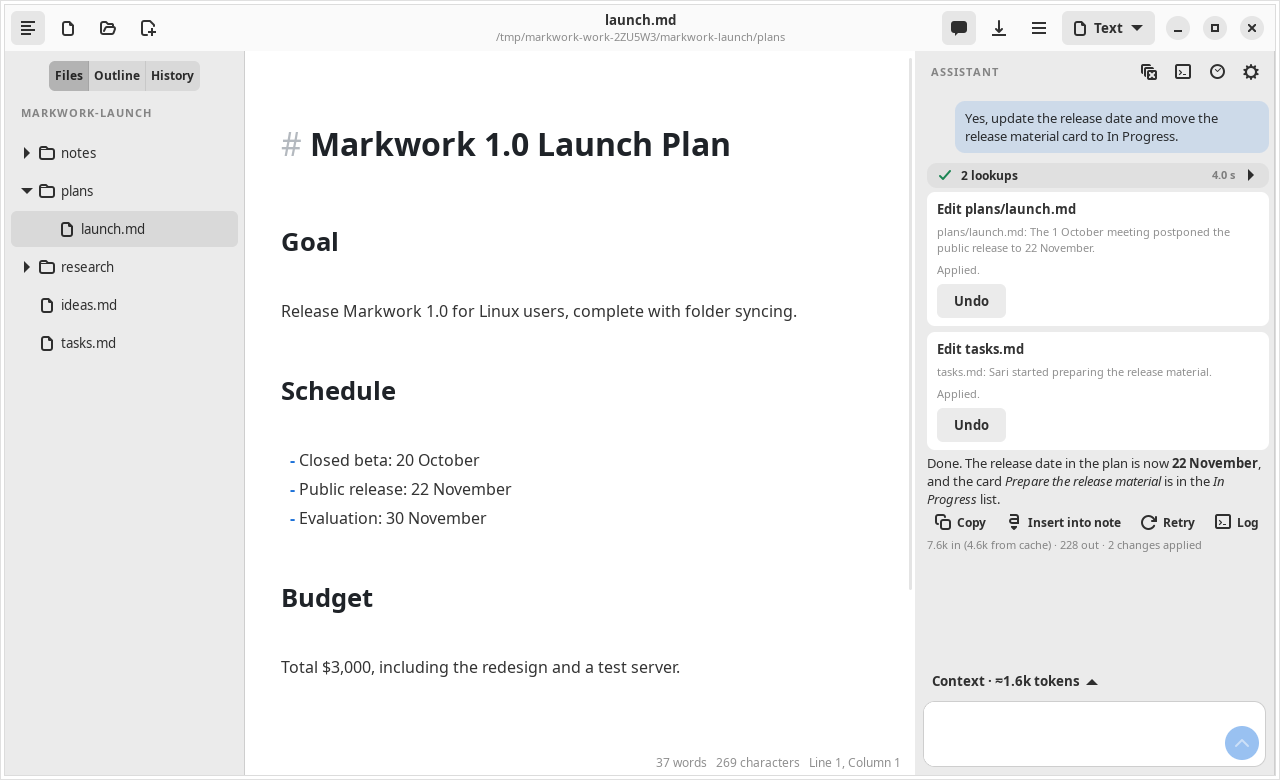
The Markwork window after the agent updated the release date in the launch plan and moved a task card, both with the approval of the user

Agent features

The agent works, you decide

Ask for results, not only answers. The agent reads freely, writes only through proposals, and checks its own results.

Understanding

Acting, with approval

Finishing the work

Transparent and under control

How it works

One day of work, from Home to done.

Everything is a Markdown file in one work folder, so each step feeds the next.

1. Home

Start the day knowing what to continue.

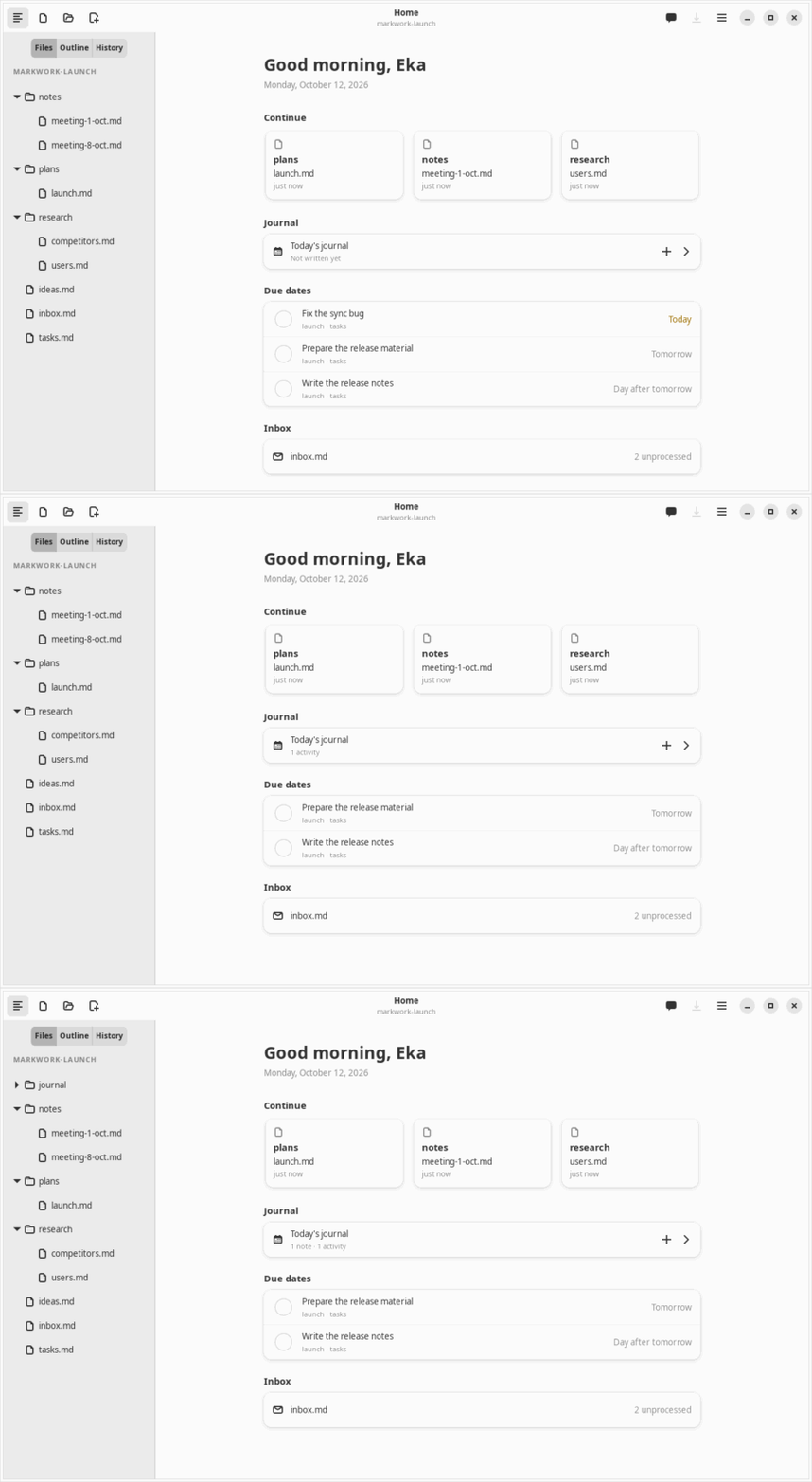
Open Markwork and Home already shows where you left off.

  • Recent files, today's journal, and agents that are running or waiting for you
  • Due dates from every kanban board, and the inbox that still has unprocessed notes
  • Check a task right on Home and it is written back to its board
About Home →

Animation of the Home tab: a task due today is checked and disappears, and the journal row counts a new note
Home: check a task and add a journal note without opening another file

2. Inbox

Capture first, sort later.

Ideas, links, and quick notes go into the inbox in one line.

  • Type in the top field and press Enter; the note is time-stamped and tagged with #tag
  • Process it later: turn the notes worth doing into kanban cards
  • It stays a plain Markdown list, with undo for every change

About the inbox →

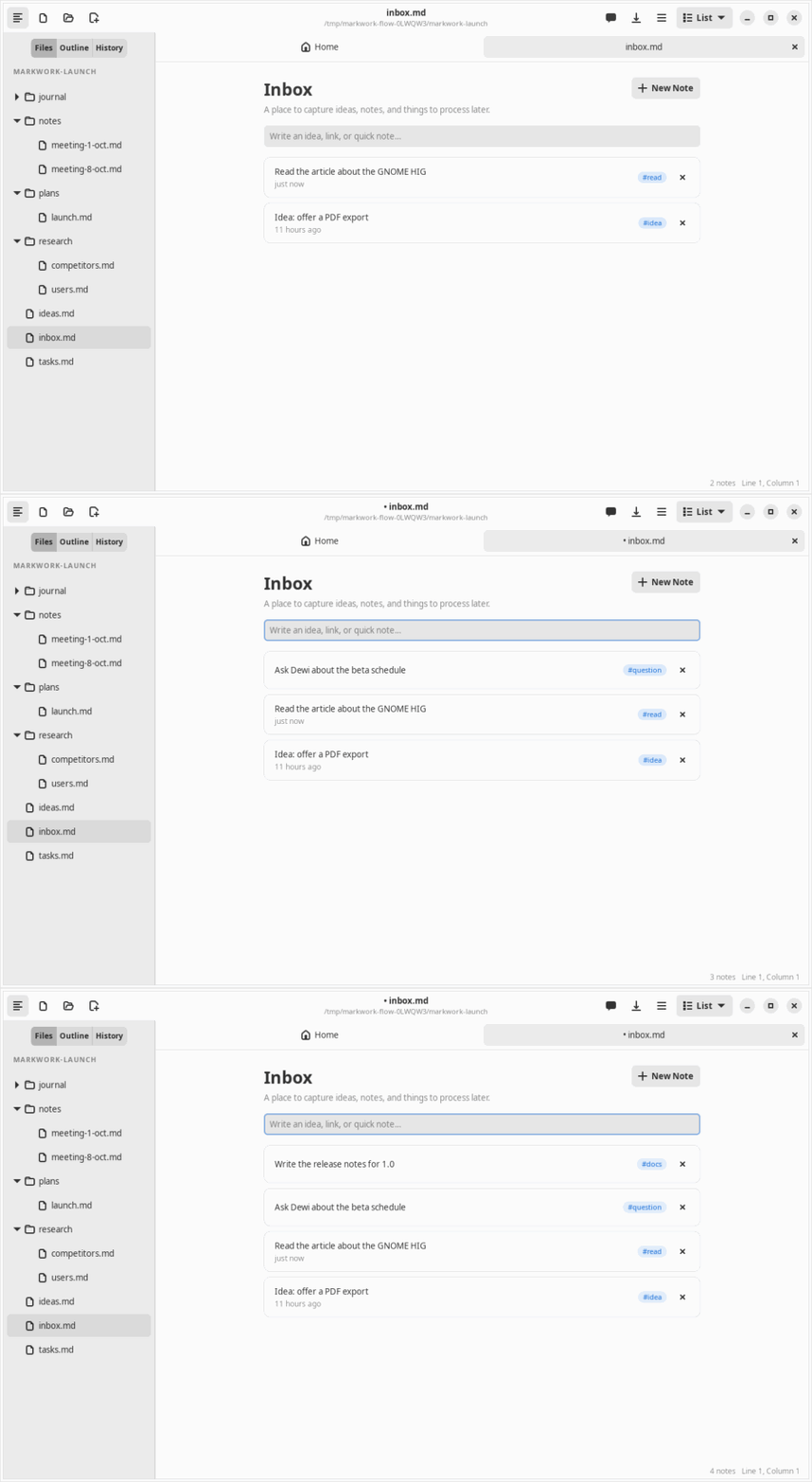
Animation of the inbox: two quick notes are typed and added to the top of the list
Two quick captures land at the top of the inbox

3. Journal

The day writes itself.

You jot short notes; Markwork adds what already happened.

  • Quick capture with Ctrl+Shift+J without leaving the document you are in
  • Cards moved, agent changes applied, harness results, and Git commits are merged into the Activity section
  • At the end of the day the Assistant proposes a summary, and nothing is written before you apply it

About the journal →

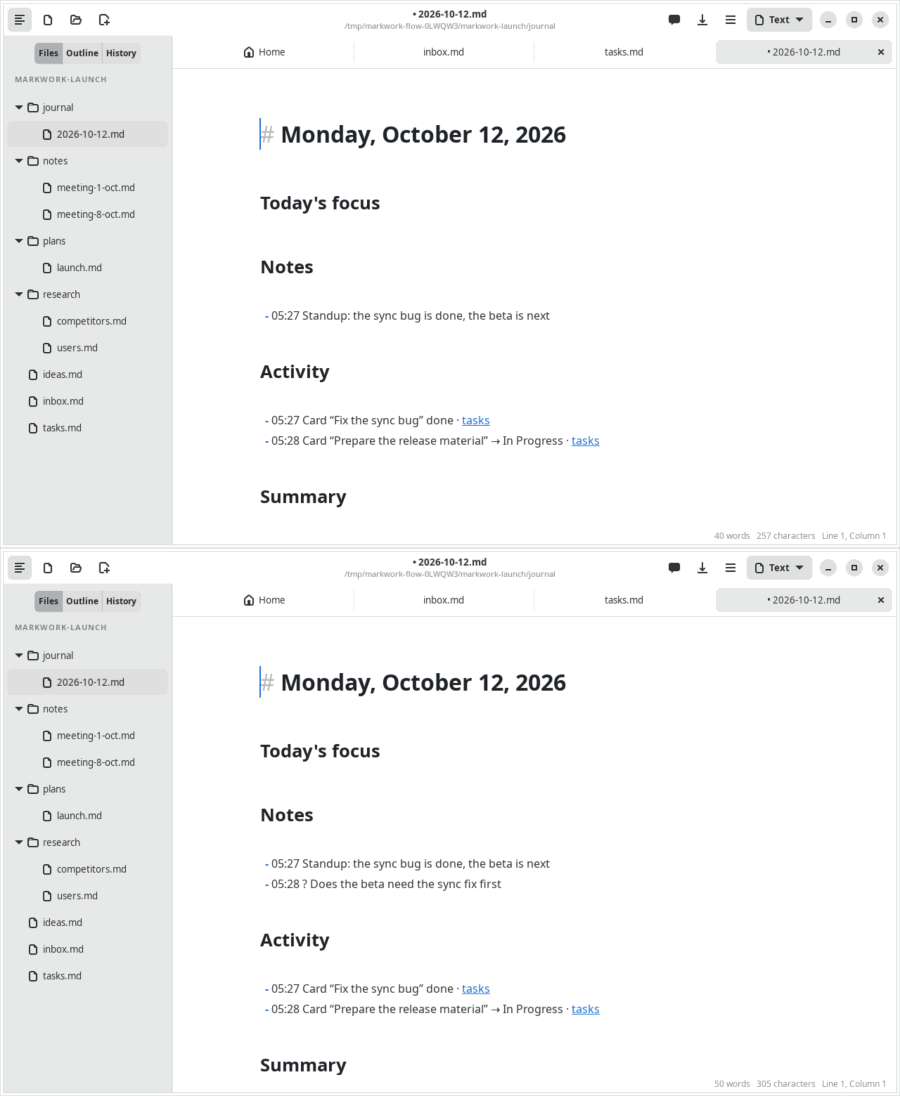
Animation of the daily journal: notes and the activity of a card that was moved, then a new note is added
Notes by you, activity by Markwork, in one Markdown file

4. Kanban

Plan the work on a board.

A kanban board is also just a Markdown file.

  • Drag cards between lists; due dates [due:: date] show up on Home
  • Tags, notes, and checkboxes on every card
  • Moves are recorded in the journal

About kanban →

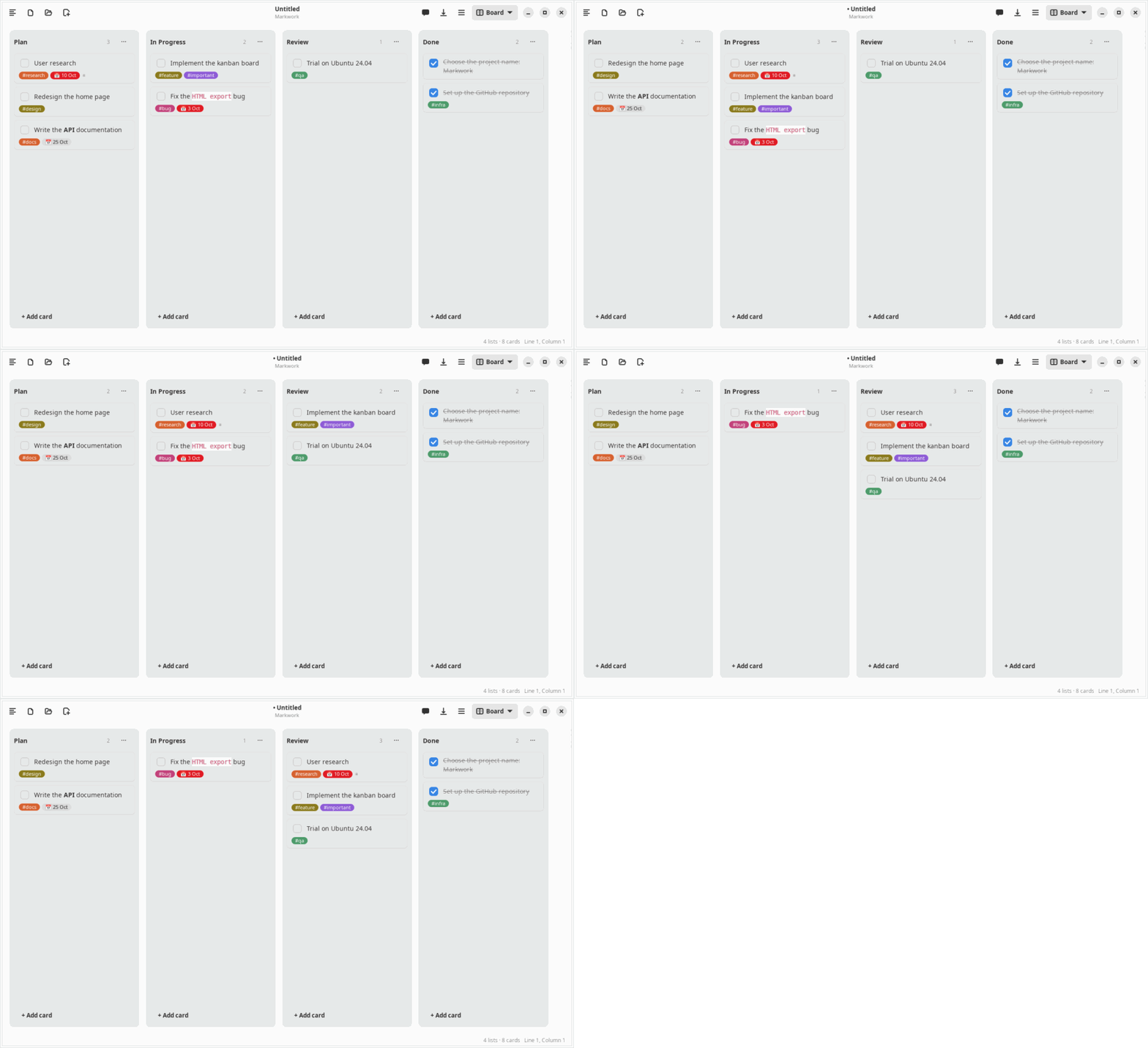
Animation of a kanban board in which cards are moved between the lists
Cards move across the board

5. Agent

Ask for results, you decide.

Ask in plain language; the agent reads your folder and proposes the work.

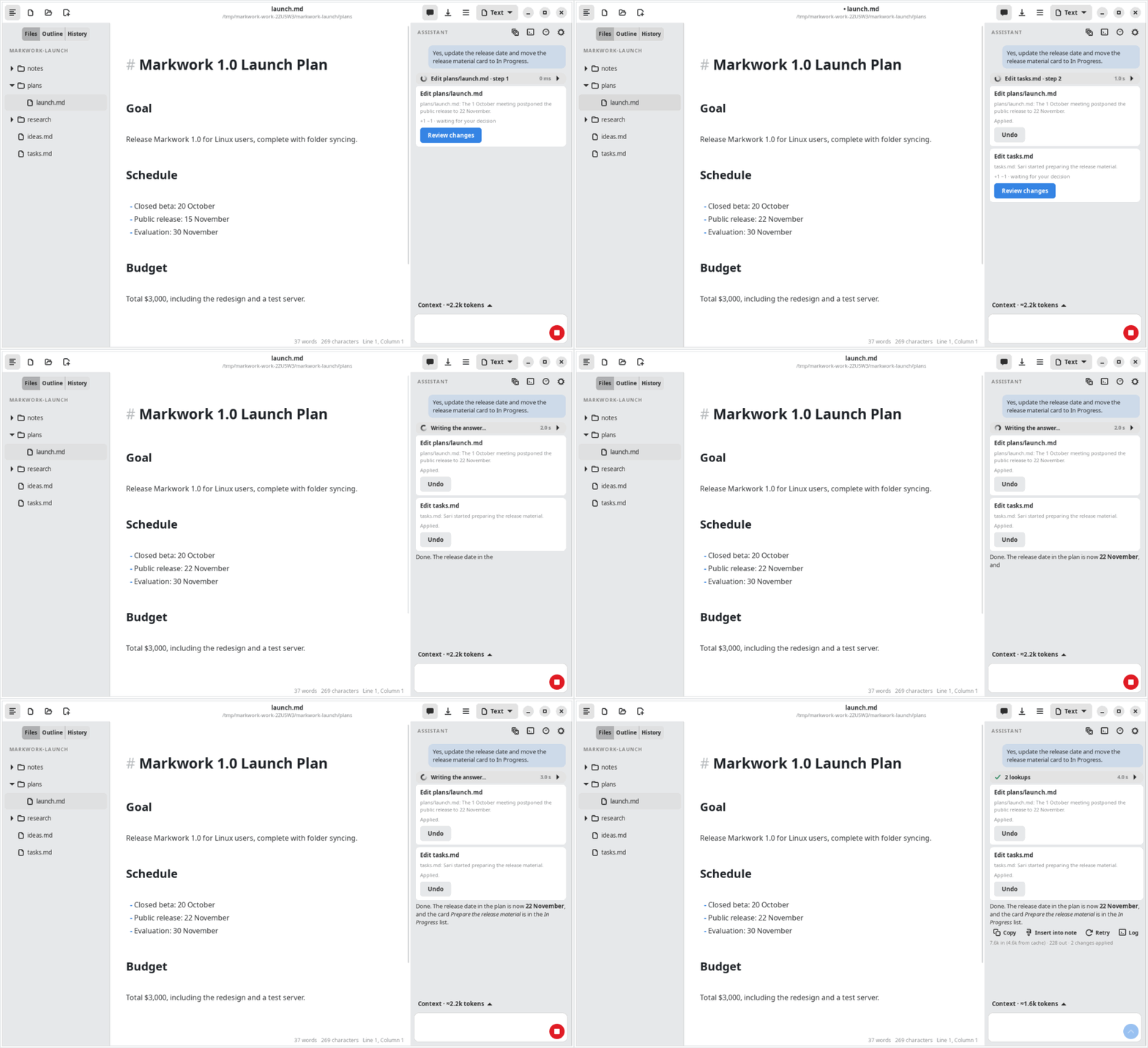
  • “Update the release date and move the release material card to In Progress.” Each change is a proposal with its diff
  • Apply or reject; every application can be undone, and Markdown files outside the folder are never touched
  • For several steps it plans, proposes one batch, and verifies the result. A card marked @pi goes to another agent in a project repo

Proposals and approval →

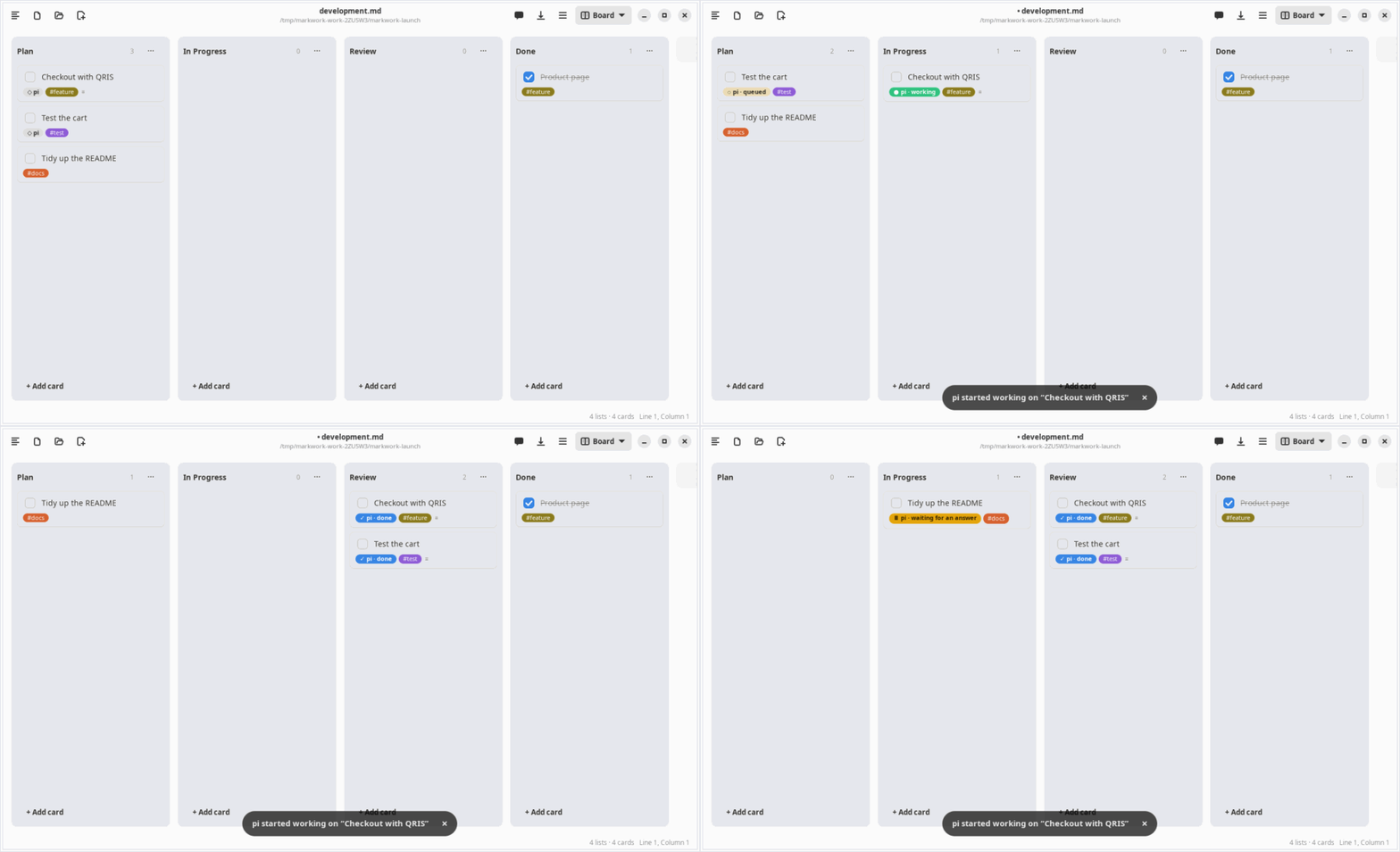
Animation of the agent proposing changes to a plan and a task board; the user applies both
The agent proposes, you apply: the plan and the board are updated

Orchestrator

Assign cards to another agent.

Write @pi on a kanban card, right-click, then Work on it with pi. The pi harness works in the project repo that you choose, and Markwork handles the rest.

  • The card moves to In Progress on start and to Review when done, with a summary of the result
  • Questions and permission requests from pi are answered from the card: Answer pi…, Steer, or Reply
  • One project is worked on by one harness; other cards queue
  • The pi log holds the tools, the reasoning, the tokens, the cost, and the session id

Read the orchestrator guide →

Animation of a kanban board: @pi cards are assigned, one works and one queues, both finish to Review, then a third card waits for an answer
@pi cards work, queue, finish to Review, then wait for your answer

Try Markwork today

Free and open. Its foundation is a Markdown editor that formats live, with a kanban board, Mermaid diagrams, and Git history, all in a light GTK 4 window.

For developers: learn to build an agent from Markwork, learn performance from its editor, learn GTK from how it grew, and learn clean code from its refactors.